Hunter Smart Sprinkler Controller Guide for Efficient Lawn Watering
This post may contain affiliate links. If you purchase through them, I may earn a small commission at no extra cost to you. As an Amazon Associate, I earn from qualifying purchases.
Smart sprinkler controllers help homeowners manage lawn watering more efficiently. They connect to Wi-Fi and use weather data to adjust schedules automatically, saving water and reducing utility costs. The Hunter Smart Sprinkler Controller is one option designed to make irrigation easier and more precise.
5 Quick-Start Garden Plans for Growing Fresh Food at Home (Free PDF)
Get beginner-friendly raised bed garden layout plans, simple container garden ideas, and a flexible salad garden plan you can put to work right away. Perfect for small spaces, patios, and first-season growers.
Instant email delivery • Unsubscribe anytime
When choosing a smart sprinkler controller, buyers should look at compatibility with their existing irrigation system, ease of setup, and app reliability. Some models offer detailed zone control and weather-based adjustments, while others focus on simple scheduling. The right controller should balance smart features with dependable performance and straightforward operation.
We tested several smart sprinkler controllers, including the Hunter model, to find the ones that simplify watering while keeping lawns healthy.
Want to Grow Fresh Food at Home?
Grab the Beginner’s Guide to Thriving Gardens—your step-by-step plan to grow real food in any backyard, patio, or balcony. Perfect for first-time gardeners!
Buy the Ebook for $14Includes 7 free bonus guides • Instant download • Beginner-friendly
Best Hunter Smart Sprinkler Controllers
We reviewed top Hunter smart sprinkler controllers to find the most reliable and efficient options for home irrigation. Our list highlights models that offer easy setup, smart scheduling, and strong performance to help us keep lawns healthy with less effort.
Hunter Hydrawise X2 Smart Sprinkler Controller

A solid choice for anyone upgrading an irrigation system who wants reliable control with optional smart features.
Pros
- Simple to install and easy to program
- Weather-based adjustments help save water
- Optional Wi‑Fi module adds remote access
Cons
- Smart features require a separate module
- App setup can be tricky for some users
- Plastic housing feels light for the price
We recently replaced an older controller with the Hunter Hydrawise X2 and found setup straightforward. The wiring layout made sense, and the large screen was easy to read even in bright light. It felt like a quick upgrade that didn’t require professional help.
Once running, the automatic weather adjustments worked well. Our lawn stayed green without overwatering, and the seasonal adjustment saved time each month. The Cycle and Soak option helped prevent runoff on our sloped areas, which was a noticeable improvement over our old timer.
While the base unit performs well, the real value shows when adding the optional WAND module. That upgrade let us manage watering from the app and check schedules without walking to the box. The only downside is that the app connection took some patience to set up. Overall, the Hunter Hydrawise X2 offers dependable performance and flexibility for both simple and smart irrigation needs.
Hunter Hydrawise HPC400 Smart WiFi Controller
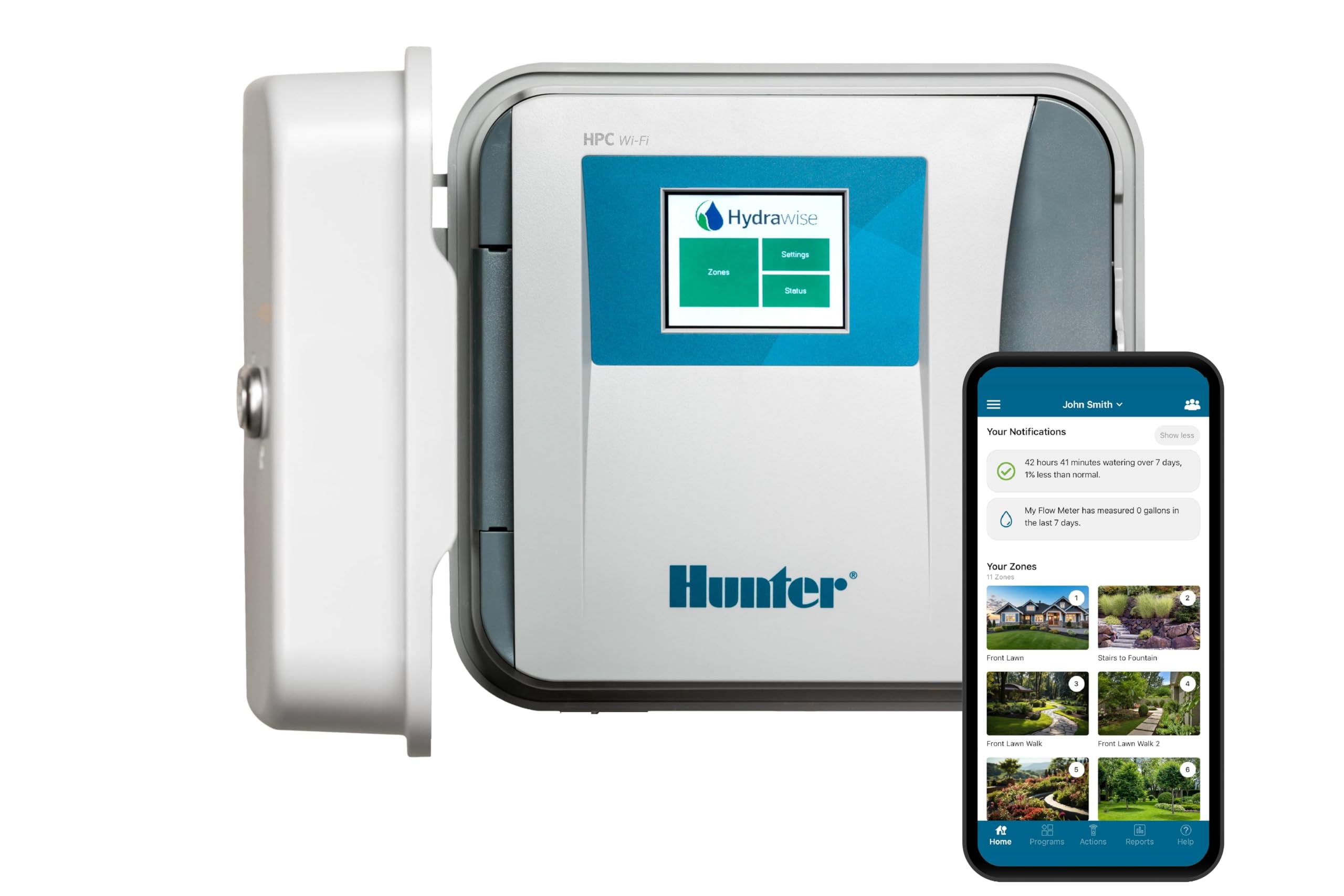
This smart sprinkler controller is a solid choice for homeowners who want reliable, app-based control over their irrigation without dealing with complicated setup.
Pros
Want to Grow Fresh Food at Home?
Grab the Beginner’s Guide to Thriving Gardens—your step-by-step plan to grow real food in any backyard, patio, or balcony. Perfect for first-time gardeners!
Buy the Ebook for $14Includes 7 free bonus guides • Instant download • Beginner-friendly
- Simple to install and connect to WiFi
- Adjusts watering automatically based on weather
- Expandable design fits growing lawn needs
Cons
- App interface can feel slow at times
- Bulky case requires enough wall space
- Expansion modules add extra cost
We found setup quick and straightforward. The touchscreen walked us through wiring and WiFi connection, and we had the system running in under half an hour. The Hydrawise app made it easy to test zones and tweak schedules right from our phones.
Once running, the weather-based adjustments worked well. It skipped watering after rain and extended cycles during dry spells, which helped cut down on water use. We liked not having to check forecasts or manually pause the system.
The controller feels sturdy and well-built, though it takes up more space than we expected. For larger yards or future landscaping, the ability to expand beyond four zones adds flexibility. Overall, the Hunter Hydrawise HPC400 delivers dependable performance and convenient control for everyday lawn care.
Hunter WAND Smart WiFi Module

This smart WiFi module is a solid upgrade for those who already use a Hunter X2 controller and want simple, remote control over their irrigation system.
Pros
- Easy to install and connect to the Hydrawise app
- Adjusts watering automatically based on local weather
- Lets us manage zones and schedules from anywhere
Cons
- Only works with newer Hunter X2 controllers
- Wi-Fi connection can drop at times
- Setup may take patience for first-time users
We recently added the WAND module to our Hunter X2 system, and setup took only a few minutes once we followed the QR code instructions. The connection to the Hydrawise app worked smoothly, and we liked being able to test zones right from our phone. It made adjusting the schedule much faster than using the controller panel.
After a few days, we noticed the weather-based watering feature adjusting times automatically. It helped us avoid watering on rainy days, which saved water and kept the lawn healthy. The alerts for wiring issues were also helpful since they popped up right in the app.
We did run into one short Wi-Fi dropout, but reconnecting was simple. Overall, the Hunter WAND Smart WiFi Module feels like a practical add-on for homeowners who want smart control without replacing their entire irrigation system. It’s best suited for those comfortable with basic Wi-Fi setup and who already own a compatible X2 controller.
Hunter Hydrawise Pro-HC Smart Sprinkler Controller
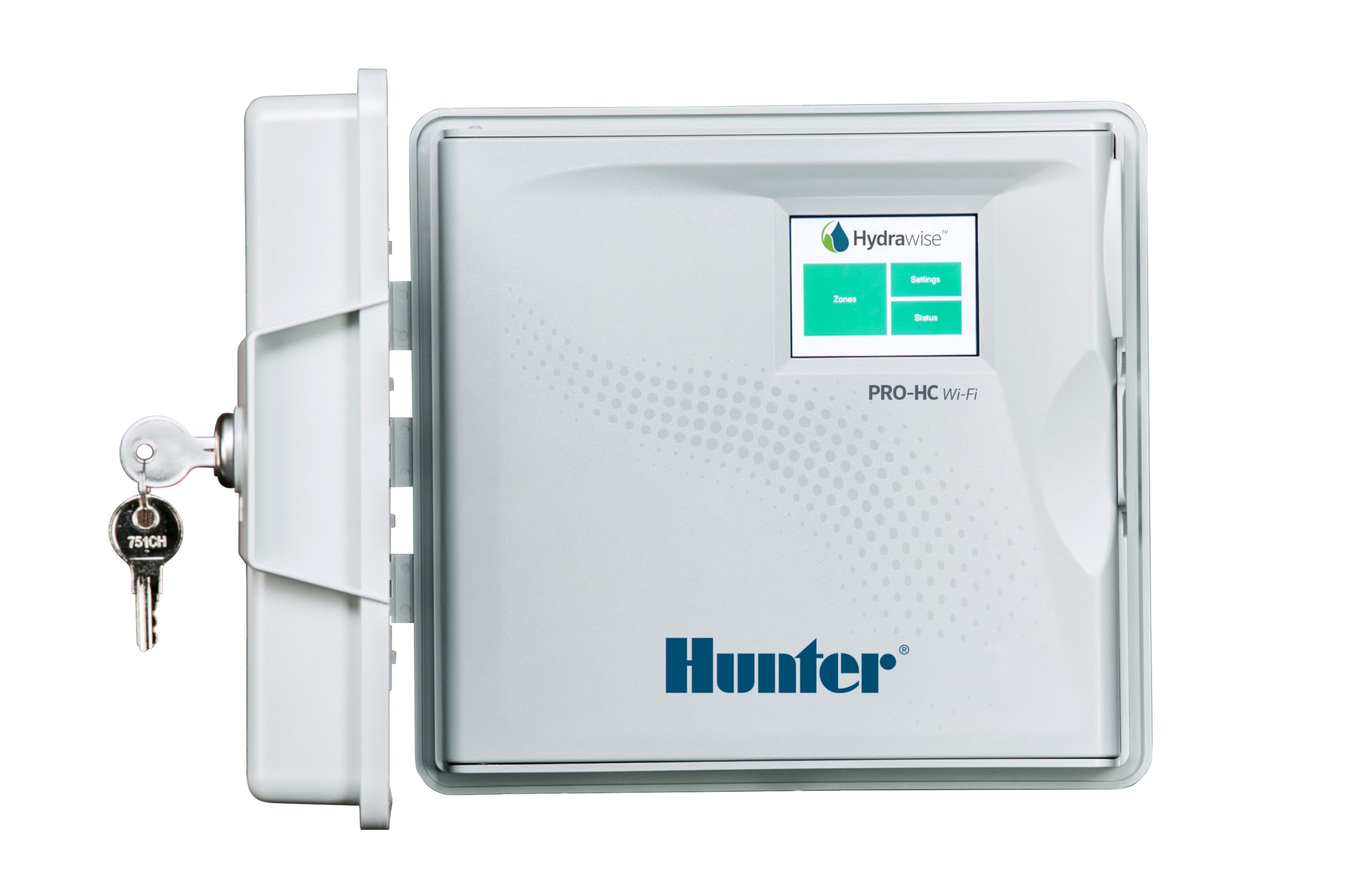
This controller suits homeowners or landscapers who want reliable, weather-based watering with strong remote management features.
Pros
- Adjusts watering automatically using local weather data
- Easy to manage zones through the Hydrawise app
- Durable outdoor build with a responsive touchscreen
Cons
Want to Grow Fresh Food at Home?
Grab the Beginner’s Guide to Thriving Gardens—your step-by-step plan to grow real food in any backyard, patio, or balcony. Perfect for first-time gardeners!
Buy the Ebook for $14Includes 7 free bonus guides • Instant download • Beginner-friendly
- Setup can feel time-consuming with many wiring connections
- The app interface takes some time to learn
- Occasional screen reliability issues reported over time
We liked how quickly the Hydrawise Pro-HC connected to WiFi and synced with the app. Once zones were labeled, adjusting schedules by phone was simple. The automatic weather adjustments saved us water during rainy weeks without extra work.
The touchscreen felt sturdy and easy to navigate, even outdoors. We appreciated being able to make quick changes on-site without using the app. The build quality seems solid, with a weather-resistant casing that handled direct sun and light rain well.
On the downside, wiring all the zones took patience. With 24 stations available, it’s best to label wires carefully before starting. The app could also be more intuitive, especially for users new to smart irrigation. Still, after setup, the system ran smoothly and kept our lawn healthy with less manual effort.
Rachio Smart Sprinkler Controller

This is a solid choice for anyone who wants to manage lawn watering easily through a reliable app and smart weather features.
Pros
- Simple app control makes watering schedules easy to manage
- Weather-based skips save water and prevent overwatering
- Quick installation works with most existing systems
Cons
- Requires WiFi and app use for full functionality
- Not ideal for outdoor setups without a weatherproof box
- May need a pump for well systems
We recently swapped out an older controller for this Rachio model, and setup took less than half an hour. The wiring lined up easily, and the app walked us through each step. Once connected, it immediately detected local weather data and adjusted watering times automatically.
The app is straightforward. We could run zones manually or set up schedules that adapt to changing conditions. During a rainy week, it skipped watering without us doing anything, which helped save water and effort.
In daily use, the controller feels dependable. It connects quickly and responds right away when we make changes. We like that it supports voice control through Alexa and Google Home, though we use the app most of the time. For anyone ready to upgrade from a traditional dial system, this unit offers a noticeable improvement in convenience and precision.
Buying Guide
When we choose a smart sprinkler controller, we should focus on features that match our yard size, plant types, and local weather. A good controller helps us water efficiently without wasting resources.
Key factors to consider:
- Compatibility: Check if the controller works with our irrigation system and Wi-Fi network.
- Zones: Count how many zones we need to manage. Some models handle more areas than others.
- Weather Data: Look for automatic adjustments based on local weather forecasts.
- App Control: Ensure the app is easy to use and supports remote scheduling.
- Installation: Choose a model with clear instructions and simple setup steps.
| Feature | Why It Matters | What To Look For |
|---|---|---|
| Zone Capacity | Matches yard size | Enough zones for all areas |
| Weather Sensing | Saves water | Real-time data use |
| Connectivity | Enables remote control | Reliable Wi-Fi or Bluetooth |
| App Interface | Simplifies scheduling | Clear layout and alerts |
| Power Options | Affects setup flexibility | Wired or battery options |
We should also check for integration with smart home systems if we already use voice assistants or automation tools.
Finally, we need to confirm that the controller supports manual override and seasonal adjustments. These options give us control when automatic settings don’t fit our needs.
Frequently Asked Questions
We cover how to program, locate manuals, replace units, set up WiFi models, troubleshoot connection issues, and decide if a smart controller fits our needs. Each topic focuses on practical steps and clear details for everyday use.
How do I program a Hunter sprinkler controller?
We start by selecting the program button, then choose a start time, run time, and watering days. After setting each zone, we press Run or Auto to save. Most models use a dial or digital display to guide us through each step.
Where can I find the manual for my Hunter irrigation controller?
We can find manuals on the Hunter Industries website under the Support or Resources section. Entering the model number helps locate the correct file. Many manuals are available as downloadable PDFs for quick reference.
What are the steps to replace an old Hunter sprinkler controller?
We first turn off power to the existing controller. Next, we label the wires by zone before removing them. After mounting the new unit, we reconnect the wires, restore power, and test each zone to confirm proper operation.
How do I set up a Hunter WiFi sprinkler controller for a 24-zone system?
We connect the controller to a 2.4 GHz WiFi network using the Hunter app. Each zone is added and named for easy control. Once linked, we can manage watering schedules, monitor usage, and adjust settings remotely through the app.
What should I do if my sprinkler system is not responding to the Hunter controller?
We check the power source, fuse, and display first. If the controller has power, we inspect wiring connections and valve solenoids. Resetting the controller or updating firmware may also restore communication with the system.
How can I determine if investing in a smart sprinkler controller is worthwhile?
We compare water savings, convenience, and system compatibility. Smart controllers often reduce waste by adjusting schedules based on weather. If we want remote control and data tracking, the investment can be practical and cost-effective over time.
Want to Grow Fresh Food at Home?
Grab the Beginner’s Guide to Thriving Gardens—your step-by-step plan to grow real food in any backyard, patio, or balcony. Perfect for first-time gardeners!
Buy the Ebook for $14Includes 7 free bonus guides • Instant download • Beginner-friendly